Articles & Case Studies
Google Maps Coverage for Local Prospecting
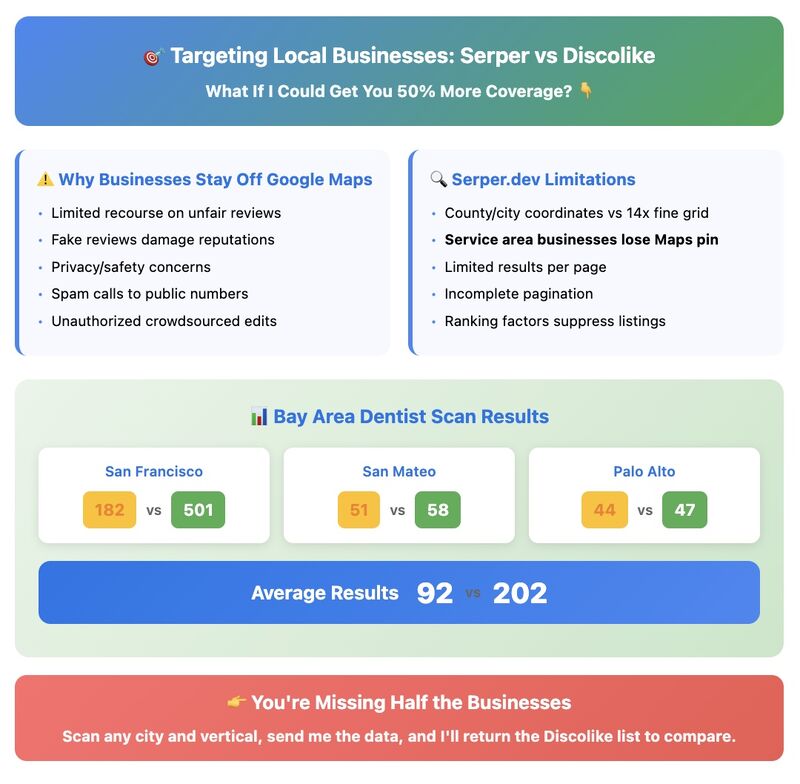
A DiscoLike comparison of dentist records in three Bay Area cities found different coverage by source and city. The counts are a local example, not a universal estimate of businesses missing from Maps.

· updated October 6, 2026
Google Maps is a useful place to find local businesses, but a set of map results is not automatically a complete account list. Search location, category wording, pagination, and business representation all affect what you retrieve.
We tested this with dentist data in three Bay Area cities, comparing a Maps collection workflow with DiscoLike records for businesses with websites.
Results from the three-city comparison
Our test used a fine geographic grid for Maps collection and excluded dead and parked domains from the website-based comparison.
| City | Maps workflow records | DiscoLike records |
|---|---|---|
| San Francisco | 182 | 501 |
| San Mateo | 51 | 58 |
| Palo Alto | 44 | 47 |
| Total | 277 | 606 |
The difference was concentrated in San Francisco. These are counts from that test, not independently established totals for all eligible dental practices. Different treatment of branches, practitioners, service areas, or city boundaries can affect the comparison.
Why local source counts differ
Maps retrieval is shaped by the query and geography. A website index depends on discoverable websites, location extraction, and classification. Either source can contain duplicates or miss valid businesses.
The right question is how many unique, qualified accounts each source contributes after the same review process.
Run your own coverage check
Define the exact area and business type first. Decide whether one account means a practice, an individual dentist, or a location.
Normalize domains and addresses, review mismatches, and compare overlap. Inspect a sample of records unique to each source before attributing the entire difference to missing coverage.
For area-based account searches, DiscoLike also supports radius and rectangular geography. Explore local company discovery and compare a segment with the data already in your CRM.
Related posts: